 NordIQ / Loki Studio
- Features
- Pricing
- Support
- About
- Download Free
NordIQ / Loki Studio
Professional thumbnails in seconds. No Photoshop. No Canva subscription. No design skills needed.
Loki grabs the best frames from your video, adds your text and logo, and keeps your branding consistent across every thumbnail. Generate thumbnails for your entire library in one batch. No templates. No design apps.
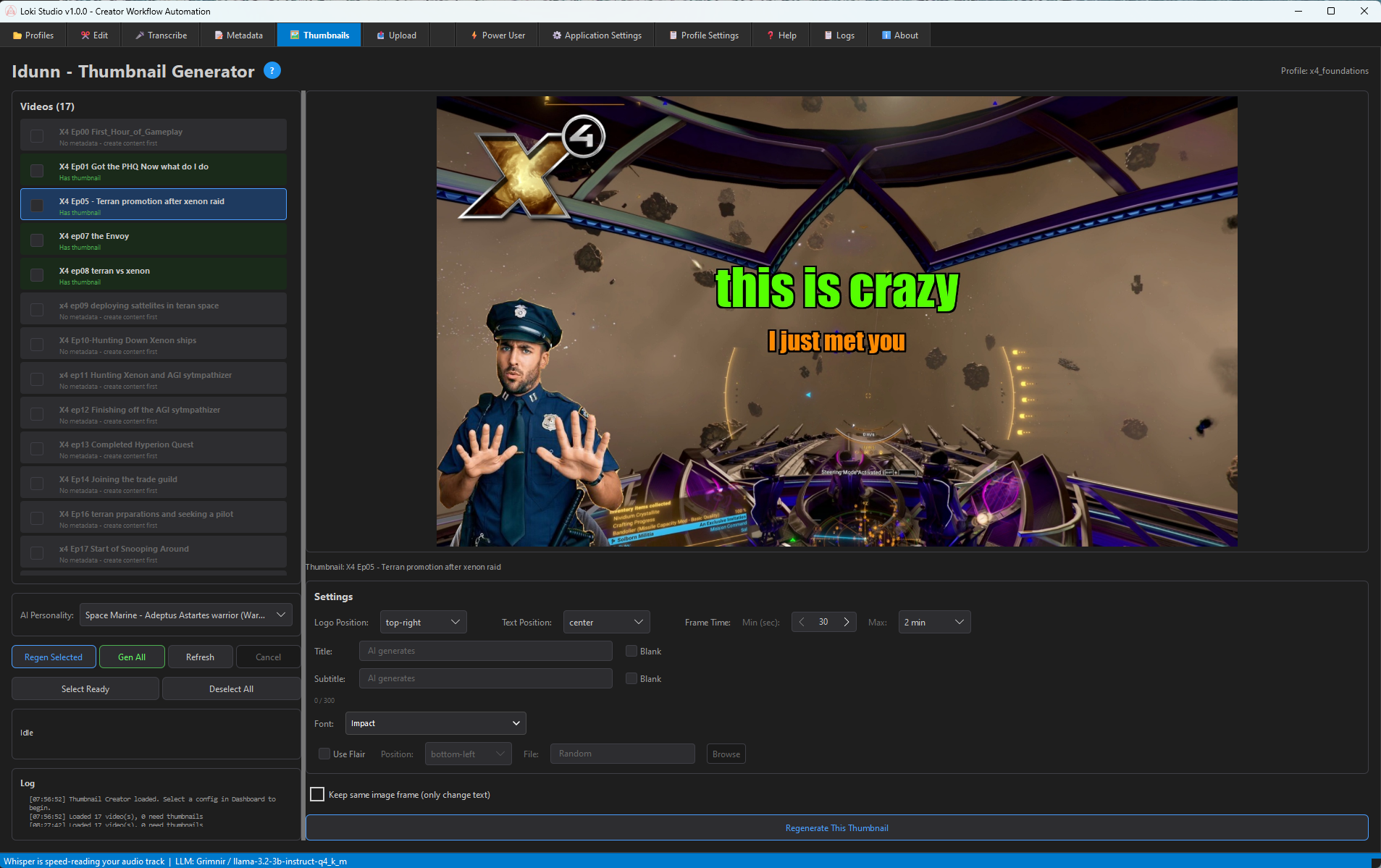
Pick random frames, the brightest moment, or a specific timestamp. Loki finds visually interesting frames so you don't have to scrub through video.
Add title and subtitle text with customizable fonts, colors, and positioning. AI can generate text from your video's metadata.
Composite your channel logo and flair badges in consistent positions. Build brand recognition across all your thumbnails.
Searchable font selection with all your system fonts available. Impact, Bebas Neue, or any font you've installed.
Select multiple videos and generate thumbnails for all of them. Process your backlog while maintaining consistent styling.
Not happy with a frame? One click regenerates with a new frame while keeping your text settings. Iterate fast.
Each video profile can have its own thumbnail settings. Set your preferred colors, fonts, and logo positions once, and every thumbnail for that series uses those defaults automatically.
One click. Consistent branding. Entire library.
Consistent, professional thumbnails for every video. Generated in seconds, not designed in Photoshop.